
Social media management
One brand. Every network. Native on each.
Native, optimized posting from your own fleet: one logo and brand kit, every network sized correctly, AI disclosure handled before publish.
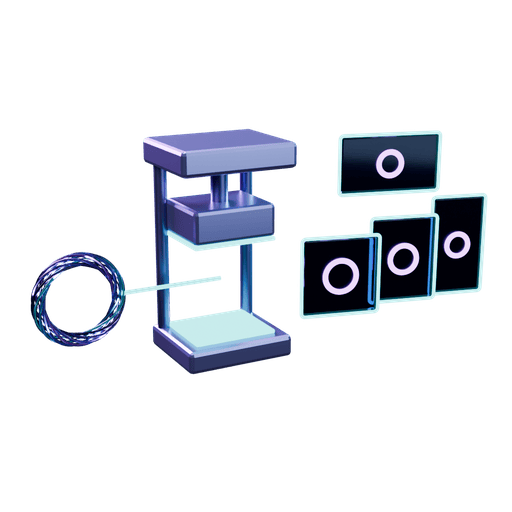
One asset in, every network out
Drop in one logo, image or video. OmniConflux turns it into exactly sized native frames for each network, each with its own caption length and tag count. A guard agent stamps every post ready or fix before it leaves your machine.
Native, not just scheduled
Each post is built for the network it lands on: its own frame, caption length, tag count and link handling. Networks reward posts that look made for them, so we make them that way instead of pushing one file everywhere.
Optimized per platform
One source asset becomes every size you need: profile image, cover, feed post, link card and vertical video. On vertical video the lower 20 percent and the right margin stay clear, so captions and buttons never cover your message.
One logo, one brand kit
Your logo, colors, fonts and tone live in one brand kit. Logos are placed inside each format's safe area, so the mark looks the same on a 1500 x 500 banner and a 1080 x 1920 story.
AI disclosure and provenance
Content Credentials (C2PA) are kept through crops and resizes, the network's own AI label is set where it offers one, and a pre-flight check flags a missing sponsorship or AI disclosure before anything publishes.
Works from your agent
The social tools speak MCP, so the agent you already use can draft, size, check and queue posts in plain words. Every post still waits for the pre-flight check, and for your approval if you ask for it.
On your own machines
Drafts, brand files and renders stay on your fleet. Only the finished post goes to the network you chose, through that network's own sign-in.
Per-platform specs we build to
Sizes are in pixels. Reviewed 2026-10. Networks change these often, so check the network's own help pages before a major launch.
| Network | Profile | Cover or banner | Post formats | Caption limit | Tags | Links |
|---|---|---|---|---|---|---|
| 400 x 400 | 1584 x 396 personal, 1128 x 191 company | 1080 x 1350 (4:5); link card 1200 x 627; document carousel 1080 x 1350 | 3,000 characters | 3 to 5 broad tags | Clickable, with a preview card | |
| X | 400 x 400 | 1500 x 500 | 1600 x 900 (16:9); square 1080 x 1080; video 1920 x 1080 or 1080 x 1920 | 280 characters (standard accounts) | 1 to 2 keywords | Clickable |
| 320 x 320 | None | Feed 1080 x 1350 (4:5); Reels and Stories 1080 x 1920 (9:16) | 2,200 characters, cut off near 125 | Up to 30; 3 to 5 niche tags work best | Not clickable in captions; use the bio link or a Story link sticker | |
| 320 x 320 | 851 x 315 | 1080 x 1350 (4:5); link card 1200 x 630 | 63,206 characters | 2 to 3 tags | Clickable, with a preview card | |
| TikTok | 400 x 400 | None | Video or photo carousel 1080 x 1920 (9:16) | 4,000 characters | 3 to 6 trending and niche tags | None in captions; profile bio only |
| YouTube | 800 x 800 | 2560 x 1440, safe area 1546 x 423 | Long form 1920 x 1080; Shorts 1080 x 1920; thumbnail 1280 x 720 under 2 MB | Title 100, description 5,000 characters | 3 shown above the title | Clickable in descriptions and pinned comments |
| Threads | 320 x 320 | None | 1080 x 1350 (4:5); video 1080 x 1920 | 500 characters | Exactly one topic tag | Clickable, with a preview card |
| Bluesky | 400 x 400 | 1500 x 500 | 1200 x 627; square 1080 x 1080; video 16:9, 1:1 or 9:16 | 300 characters | Keywords found through search feeds | Clickable, with a preview card |
| 600 x 600 | 800 x 450 | Standard Pin 1000 x 1500 (2:3); video Pin 1080 x 1920 | Title 100, description 500 characters | 2 to 5 descriptive tags | Every Pin carries a destination link | |
| 250 x 250 | 1920 x 384; mobile 1600 x 480 | 1920 x 1080 or uncropped; 20 MB file limit | Title 300, body 40,000 characters | Community flairs instead of hashtags | Markdown links in text posts, or a link post |
Sources: 2026 image size guides from Digital Applied, PosterMyWall, Crowbert, STIR Advertising, Next Wave Services and SquarePic; caption and tag limits from the Postproxy 2026 platform API reference. Vertical video safe areas (lower 20 percent and right margin kept clear) follow the same guides.
How each network connects
- OAuth, per network: LinkedIn, X, Instagram, Facebook, Threads, TikTok, YouTube, Pinterest and Reddit. You sign in on the network's own page and can revoke access there at any time. We never see your password.
- App password: Bluesky. You create a revocable app password in Bluesky settings.
- Assisted: Substack and Medium. Neither offers a public publishing API, so OmniConflux prepares the formatted post and you publish it yourself.
Some networks review each app before it may post publicly. Until a network approves, its posts can be limited to drafts or private visibility. We say so in the app rather than hiding it.
What we will not do
No guaranteed reach. No account warming, device faking or fingerprint tricks. No hidden browsers posing as a person, and no ways around a network's limits. Your accounts are yours, and we keep them in good standing by playing it straight.
Bring your own tools
Use any model for drafting, from your own subscription, your API key or a local model. The same rule runs the rest of the platform: no landlord, no walled garden.
Questions
- Which networks does OmniConflux post to?
- LinkedIn, X, Instagram, Facebook, Threads, TikTok, YouTube, Pinterest and Reddit connect through each network's own OAuth sign-in. Bluesky connects with an app password you create and can revoke. Substack and Medium are assisted: they offer no public publishing API, so OmniConflux prepares the post and you publish it.
- Will my posts reach more people?
- We do not promise reach. Each network decides distribution. What we do is make every post native to its network, correctly sized and properly disclosed, which removes the avoidable reasons a post underperforms.
- Does OmniConflux use account warming or device tricks?
- No. We do not warm accounts, fake devices, rotate fingerprints or pose as a person in a hidden browser. Posts go out through each network's own sign-in and within its limits and terms.
- How is AI-generated content labeled?
- Content Credentials are kept through edits, the network's AI label is set where the network offers one, and the pre-flight check flags missing sponsorship or AI disclosures before publish. You stay responsible for your posts; this is a checklist, not legal advice.
- Can my own agent run my social posting?
- Yes. The social tools speak MCP, so any agent that supports MCP can draft, size, check and queue posts. Approval before publish is available for every post.
All product names are trademarks of their owners. Naming a network describes compatibility, not endorsement.