Social console
Connect an account, then post from one place
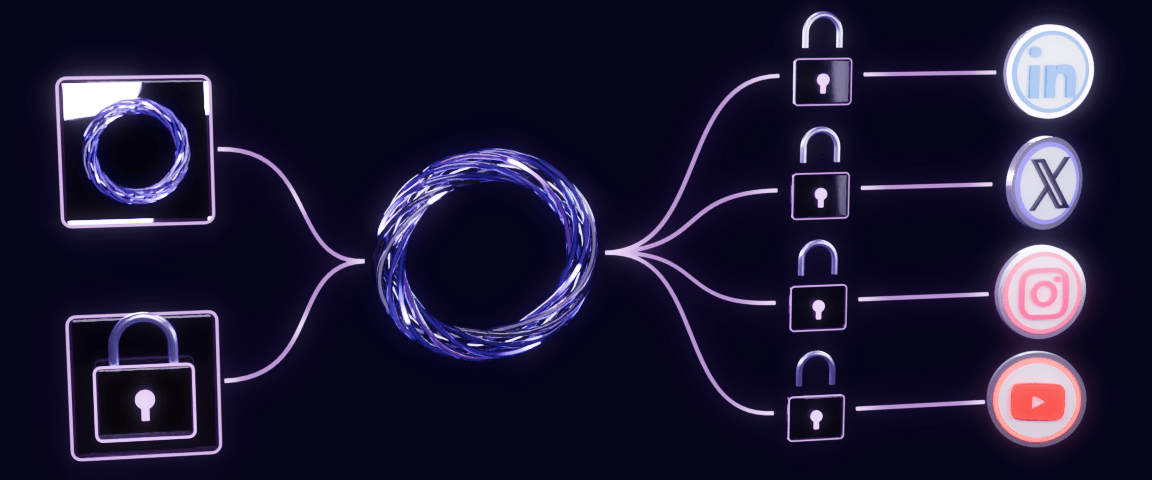
The console is designed to connect each account through the network's own sign-in and then send posts through the OmniConflux Social API. It is a client of the same API as the command line tool, so anything it does, a script or an agent can do with the same routes, keys and states. The contract is published as OpenAPI.
Add your key
Paste an API key that starts with ocs_. It stays in this tab and is cleared when the tab closes.
Connect a network
Pick a network and open its sign-in link. You approve on the network's own page; OmniConflux never sees your password.
Check the channel
Press Refresh. The account appears under Channels with its status, so you know it is ready before you post.
Send a post
Add a public https media address and a caption, confirm consent, and send. The state updates until the network confirms it.
How connecting works
Connecting is designed to use OAuth, the sign-in each network already offers. The console asks the API for a sign-in link on our own host. That link sends you to the network's own page, where you see exactly what is being allowed and approve it. The access that comes back stays on the server side; this page never holds it.
You can revoke access at any time in the network's own settings. A sign-in link expires after one hour, so ask for a new one if it has lapsed.
Which networks connect, and how
Through the network's own sign-in
Ten networks are designed to connect here: nine by OAuth, and Bluesky by an app password you create in Bluesky settings and can revoke.
 LinkedInOAuth
 XOAuth
 InstagramOAuth
 FacebookOAuth
 ThreadsOAuth
 TikTokOAuth
 YouTubeOAuth
 PinterestOAuth
 RedditOAuth
 BlueskyApp password
Assisted
Eight networks are assisted. The design prepares the formatted post, and you publish it yourself on the network.
 Substack
 Medium
 Quora
 Discord
 Hacker News
 Kaggle
 Rumble
 Kick
Your key stays in this tab
The key is sent only to the API address you choose, over https, and only in the Authorization header. It is kept in this tab and cleared when the tab closes.
Every post is checked, then queued
A post is accepted only with your consent, a public https media address and a caption within the limit. Its state then moves on its own; you never have to guess what happened.
The console
The hosted API at api.omniconflux.com is not live yet. Until it is, run the API on your own machine and connect to the local address.
Connection
Not connected.
Connect a network
Sign in and connect first.
Channels
Every network is listed. Connect with your key to see which are linked and to link the rest.
- LinkedInIts own sign-in pageNot connected
- XIts own sign-in pageNot connected
- InstagramIts own sign-in pageNot connected
- FacebookIts own sign-in pageNot connected
- ThreadsIts own sign-in pageNot connected
- TikTokIts own sign-in pageNot connected
- YouTubeIts own sign-in pageNot connected
- PinterestIts own sign-in pageNot connected
- RedditIts own sign-in pageNot connected
- BlueskyApp password on Bluesky's own pageNot connected
- SubstackPrepared here, you publish it on SubstackAssisted
- MediumPrepared here, you publish it on MediumAssisted
- QuoraPrepared here, you publish it on QuoraAssisted
- DiscordPrepared here, you publish it on DiscordAssisted
- Hacker NewsPrepared here, you publish it on Hacker NewsAssisted
- KagglePrepared here, you publish it on KaggleAssisted
- RumblePrepared here, you publish it on RumbleAssisted
- KickPrepared here, you publish it on KickAssisted
New post
Production line
Load a batch of videos or images, pick the networks and a posting rhythm, review the captions written for each network, and queue them all at once. Each file goes out on every ticked network at the same moment.
Sign in and connect first.
Scheduled
0 waitingConnect to see the schedule.
Scheduled posts are sent by the API you are connected to, so it has to be running at their time.
Assisted network stats
Substack, Medium, Quora, Discord, Hacker News, Kaggle, Rumble and Kick have no stats connection. Paste a post address and the API opens its own separate browser, signed in to nothing, and reads that post's public numbers. It cannot like, post or act as you. One read a minute.
Posts
Connect to see posts.
What the API returns
Every post carries one explicit state and a plain-language next step. "Published" means the network confirmed it, never that we sent it.
- Queued
- Accepted and waiting its turn.
- Submitting
- Being handed to the network.
- Processing
- The network is processing the media.
- Waiting for you
- A TikTok draft is in the creator's inbox; open the app and publish it there.
- Published
- The network confirmed the post is live.
- Failed
- Stopped. failCode says why, and retryable says whether trying again can help.
Errors share one shape, so a script can branch on the code and know whether a retry can help:
{ "error": { "code": "rate_limited", "message": "limit is 120 requests per minute for this key",
             "retryable": true, "hint": "..." } }