Fleet
Your machines are the cloud.

OmniConflux is a desktop coding app for Omarchy, macOS on Apple silicon and Windows. In version 0.3.0, Fleet lists nodes, their hardware and harness readiness; Review shows the rival verdict. The app is in closed beta. Local context and voice remain design goals.
One fleet from your own machines
A fleet is your computing resources, pooled for agent work. OmniConflux is designed to start with the machines you own rather than treating your workspace as a single device. Your spare tower is designed to stop being a paperweight.


Laptops
A laptop you already own, added to your fleet.
Mini PCs
A compact desktop you already own, added to your fleet.
Desktop towers
A desktop tower you already own, added to your fleet.
Servers
A rack or lab server you already own, added to your fleet.
Dedicated GPUs
A GPU for running open-weight models on your own hardware.

Phones
Planned: the phone you will use to approve and steer the work.
The Fleet tab reports machine and harness status today. Phone approval is planned.
Build your fleet.
Pick machines and a model for each, send a sample goal, and watch a rival from another vendor return REWORK, then APPROVE. No signup.
SAMPLE RUN. Sample data. No real agents run. Nothing you choose here is sent unless you claim a fleet seat and save it.
Pick your models.
Choose a model vendor on each machine. The rival that checks the work runs a vendor no builder runs.
- LaptopBuilder
- Desktop towerRival

 Laptop
 Desktop tower
Press Run sample to watch your fleet work.
Billing sample: Laptop drafts with Claude family. Desktop tower reviews with Gemini family.
- The goal fans out to every builder machine.
- The rival, on a vendor no builder runs, checks the work.
- It sends the work back with a reason, or approves it.
- You approve last.
SAMPLE DATA. Not a real run.
Join the waitlistSample only. In the design, finished work comes back for your approval. Phone approval is planned. Nothing happened here.
Vendor names are trademarks of their owners. Naming a vendor describes designed compatibility, not endorsement.
Independent checks belong with the work
Every agent task gets a verifier from a different vendor. Pooling machines and checking results are separate parts of the same platform: one supplies the fleet, the other supplies an independent review. Verification is a check, not a guarantee.
See how the rival check works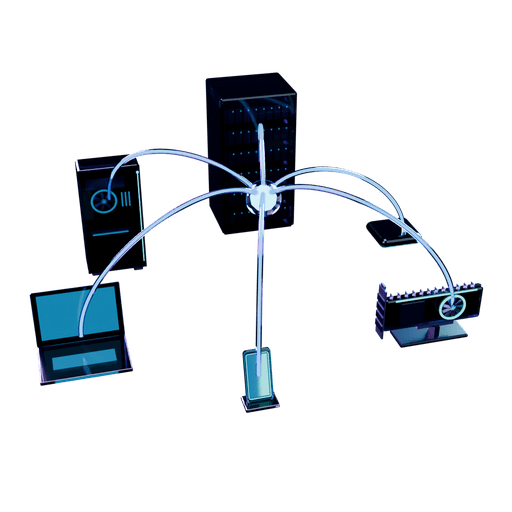
Local context. A voice-first approach.
Local models and on-device context are the private foundation of the design. Voice is designed as a way to work with the fleet. Explore these principles before launch details and setup instructions are published.